
Blog / Aurora Buick Dealer

Does My Buick Have The Hands-Free Power Liftgate & How Does It Work?

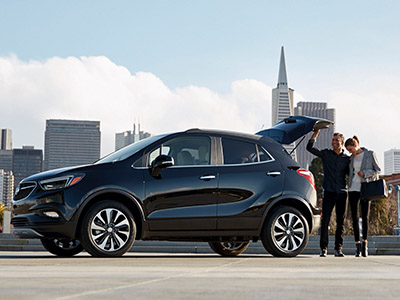
A sleek black SUV is parked with an open trunk. A couple stands nearby, embracing, with a city skyline and skyscrapers in the background.

The available Hands-Free Power Liftgate with Logo Projection and Programmable Height (if equipped) lets you open and close the

liftgate with a simple kicking motion below the bumper. If equipped, an illuminated logo will be projected on the ground underneath

the location of where you should kick.

DOES MY VEHICLE HAVE THIS FEATURE?

  • If you have the HANDS-FREE CUSTOMIZATION MENU on your infotainment system, your vehicle has Hands-Free Power Liftgate
  • If you have a knob on the inside of your driver door or overhead console that shows an open liftgate with various heights, you have Hands-Free Power Liftgate
  • If your liftgate opens when you kick under the bumper, you have this feature

HOW IT WORKS

Using sensors positioned below the rear bumper, the power liftgate is designed to open or close when you kick up toward the bumper in a straight kicking motion. On some models, a logo projects on the ground to show you where to kick. If your vehicle does not have the logo projection, check your vehicle Owner’s Manual for the correct location to kick.

  • The logo projection (if equipped) turns on automatically as you approach within six feet of the rear of the vehicle and stays illuminated for 60 seconds
  • In order to operate the Hands-Free Power Liftgate, your key fob must be within three feet of the rear of the vehicle. It can be in your hand, pocket or in a bag (only the key fobs received at vehicle delivery will activate the logo projection feature)
  • You should aim your kick over the logo that is projected on the ground (if equipped), but don’t step on the logo
  • Your kick should be in and back out in one quick, straight motion, taking only about one second. Your kick should be high enough to come within five inches of the bottom of the bumper without kicking the vehicle
  • A side-to-side motion of your foot will not work, nor will holding your foot under the bumper. Your foot must pass through the range of light beam sensors, which may require you to adjust the height of you leg swing
  • The same kicking motion opens and closes the liftgate
  • When closing the liftgate, there is a two-second delay before it starts closing to give you time to step away from the moving liftgate
  • The taillamps will flash and a chime will sound to indicate the liftgate is opening or closing

Get your personal demonstration of the hands-free power liftgate on your new Buick at:

SHORTLINE BUICK-GMC

1301 So. Havana St.

303-751-3400

Visit your local Shortline Buick showroom at : Shortline Buick GMC Service

Find directions to Shortline Buick at: https://maps.app.goo.gl/5q7o1FkJtSxNgtrZ6
Posted in:

Recommended Posts

360 View of the GMC Sierra 2500 HD AT4X

Buick GMC Diagnostic Alerts – What are they?

Diagnostic alerts on your Buick GMC are real-time notifications for key operating systems. They give you the confidence of knowing many of the things going on under your hood. After enrolling, you can keep tabs on the health of some of your vehicle’s key systems like the engine, transmission and anti-lock brakes. If a problem is detected, you can get a real-time alert by text message or email, depending on how you set your preferences. Does my vehicle have this feature? All 2018 or newer Buick GMC models are capable of receiving Diagnostic Alerts. You’ll also need an active OnStar plan to enroll. How do I get started? To receive Diagnostic Alerts you will need to enroll in the feature and set up your preferences for receiving alerts. You may have already enrolled in the program at the dealership when you originally purchased your Buick GMC. If you did not enroll at the time of purchase, follow the steps below: Log into your GMC or Buick Account ( www.gmc.com/myaccount or www.buick/myaccount) Navigate to the Vehicle Overview page, scroll down and select Notification Settings. Then, look for the Vehicle Diagnostics section under Communication Preferences. Toggle on Diagnostic Alerts for the notification method (Text/Email) that works best for you. You can also manage your notification preferences in the myGMC or myBuick mobile app. After enrolling, you’ll receive a confirmation text or email indicating you’ve successfully signed up. For additional help you can contact your local Buick GMC Service Department. Shortline Buick GMC 1301 So. Havana St. Aurora, CO 80012 303-751-3400 https://www.ShortlineBuickGMC.com Service Hours: Mon.-Fri. 7am-6pm; Sat. 8am-4pm

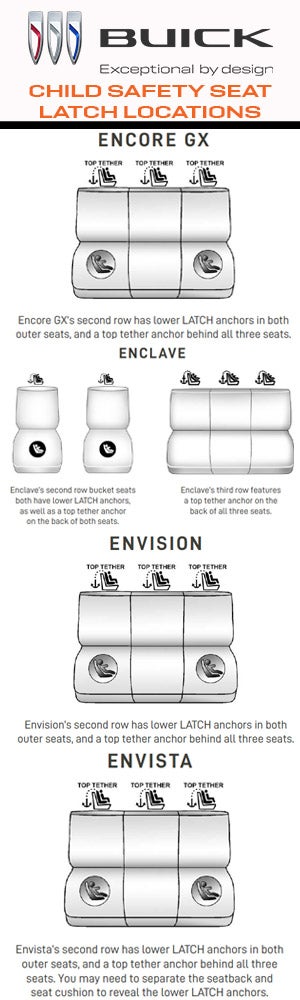
Buick Child Safety Latch locations

DO YOU KNOW WHERE THE BUICK CHILD SAFETY SEAT LATCH ANCHORS ARE LOCATED?

Shortline Buick wants to make sure you are aware of the safety features in your new Buick. Buick safety is important and locating the LATCH anchors in your new Buick will keep your child safely secured while driving. 46% of car seats and booster seats are used incorrectly according to a NHTSA Study. Please consult your Owner's Manual or visit your local Buick dealership service department for help if needed. The Shortline Buick service team is available Mon.-Friday from 7am-6pm and from 8am-4pm on Saturday. Please come by 1301 So. Havana St. in Aurora, CO for assistance or information on the Buick safety features available to you in your Buick SUV/Crossover. For directions to Shortline Buick please visit: https://www.shortlinebuickgmc.com/hours.aspx

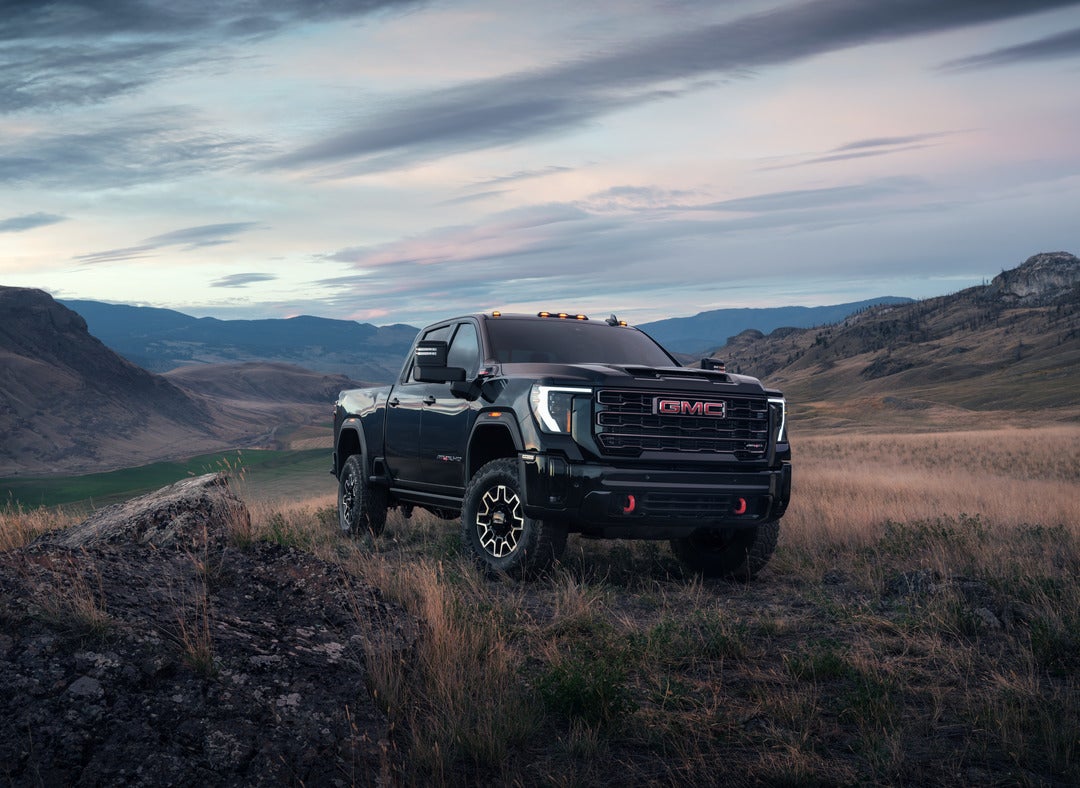
360 View of the GMC Sierra 2500 HD AT4X

360 Buick GMC Views are available

Choosing the color you want and the model you want can be an important decision in your vehicle buying process. Shortline Buick GMC tries to provide shoppers with 360 views of the vehicle available to purchase. For example, click on the picture below of the new 2025 GMC Sierra 2500 HD AT4X to view 360 color palette. As another example, take a look at the new Buick Envista Avenir 360 color palette. Visit the Shortline YouTube channel for additional 360 views and find the Buick GMC vehicle you want today at Shortline Buick GMC. Click to view the Shortline YouTube Channel now: https://www.youtube.com/channel/UC5qFqK6z3nJiLueIrcIVK6w Find directions from Google to Shortline at: https://maps.app.goo.gl/MLAg2dVeLBBwe37H8