Blog / Aurora Buick GMC Dealer

360 Buick GMC Views are available

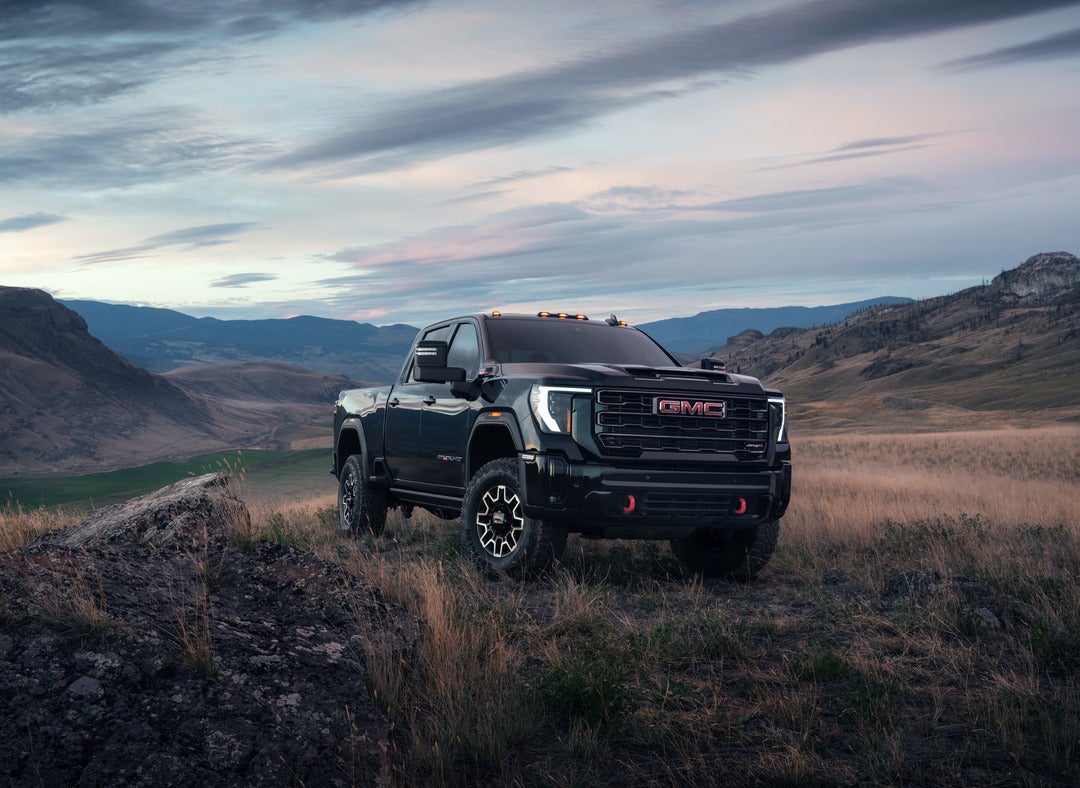
360 View of the 2025 GMC Sierra 2500 HD AT4X

Choosing the color you want and the model you want can be an important decision in your vehicle buying process. Shortline Buick GMC tries to provide shoppers with 360 views of the vehicle available to purchase.

For example, click on the picture below of the new 2025 GMC Sierra 2500 HD AT4X to view 360 color palette.

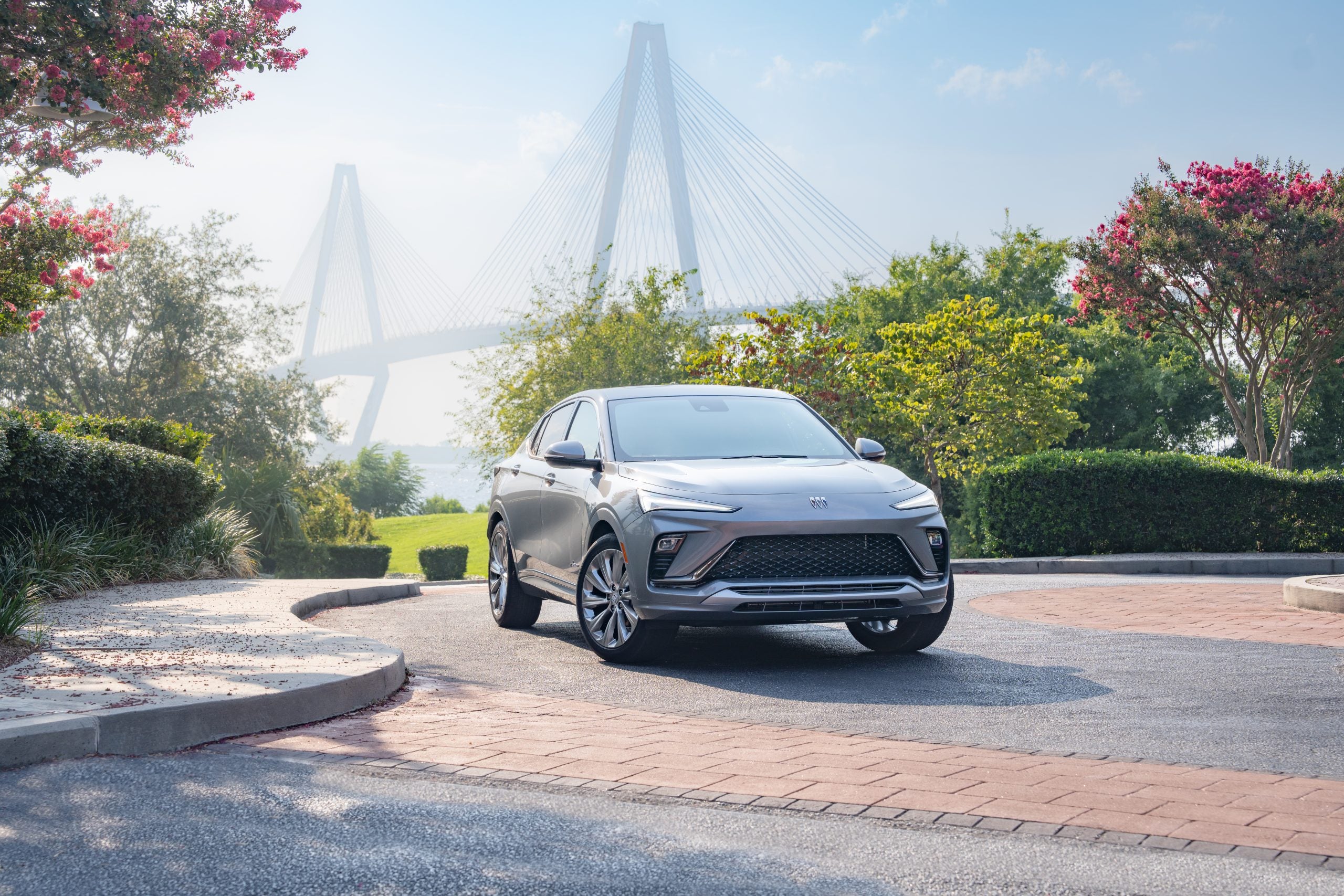
As another example, take a look at the new Buick Envista Avenir 360 color palette.

360 View of the 2024 Buick Envista Avenir

Visit the Shortline YouTube channel for additional 360 views and find the Buick GMC vehicle you want today at Shortline Buick GMC. Click to view the Shortline YouTube Channel now: https://www.youtube.com/channel/UC5qFqK6z3nJiLueIrcIVK6w

Find directions from Google to Shortline at: https://maps.app.goo.gl/MLAg2dVeLBBwe37H8

Posted in:

Related Posts

GM Genuine Parts

WHY CHOOSE A DENVER GM COLLISION REPAIR NETWORK FACILITY?

Shortline Collision Center in Aurora | Denver will use GM OE Parts for your collision repair! GM designs and builds vehicles for performance, durability and safety. Insist on using GM OE parts engineered to fit your vehicle’s specific needs to help restore your GM to as close to its original, pre-collision condition as possible.  Only GM Genuine Parts and ACDelco OE parts are designed, engineered, tested and backed by GM. Shortline has certified technicians trained to repair your Chevrolet, Cadillac, Buick, or GMC with GM Genuine Parts. SHORTLINE COLLISION CENTER 1301 So. Havana Street, Aurora, CO 80012 303-306-4034 Mon.-Fri. 7am-6pm www.ShortlineCollisionCenter.com

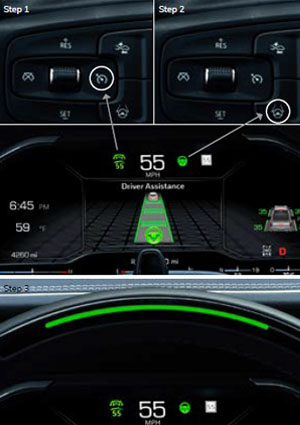
Three-step dashboard guide: Step 1 shows a button with a car icon on a black panel. Step 2 zooms in on the button. Step 3 displays a digital screen with speed and driver assistance visuals, featuring a car and lane markings, indicating active safety features.

How does GMC Super Cruise™ work?

The Super Cruise driver assistance technology uses precision LiDAR map data and in addition to real-time cameras, sensors and GPS to maintain control of the vehicle under certain conditions on compatible roads. Additionally, Super Cruise is only available on compatible roads. Usually, these are roads separated from traffic going in the opposite direction. The system works with Adaptive Cruise Control, which is designed to detect vehicles traveling in the same direction in its path and accelerate or brake the vehicle to maintain a driver-selected following gap time from a vehicle ahead, even in stop-and-go traffic conditions. When engaged, Super Cruise utilizes a Driver Attention System. It provides feedback on system status, works to monitor your head and eye positioning and uses alerts that prompt you to pay close attention to the road and steer manually when needed. HOW TO USE SUPER CRUISE To use Super Cruise, Adaptive Cruise Control must be on. 1. Press the ADAPTIVE CRUISE CONTROL button on the steering wheel to turn the system on. 2. When Super Cruise detects you are on a compatible road for the feature to function are met (e.g., lane markings visible, GPS available, no system faults), the Super Cruise symbol illuminates on the instrument cluster. 3. When it is safe to do so, press the SUPER CRUISE button on the steering wheel. When the symbol and the steering wheel light bar illuminate in green, you may remove your hands from the steering wheel. You should not remove your hands from the steering wheel unless the light bar is green. + When all other driving conditions are met but you are not centered in your lane, the Super Cruise symbol will light up blue until you are centered in your lane. 4. If an Adaptive Cruise Control speed was not previously set, Super Cruise will set your current speed as the cruise speed. 5. When Super Cruise is turned on, it will activate the Enhanced Automatic Emergency Braking, Forward Collision Alert and Lane Change Alert with Side Blind Zone Alert features, even if you had previously turned them off. When you turn Super Cruise off, these features will revert to the settings you had previously indicated for them. Super Cruise is available to chose when you have an active eligible GM Connected Services plan. Learn more from your Shortline GMC Associate at:1301 So. Havana St.Aurora, CO 80012303-751-3400 Also, you can visit Shortline online at https://www.ShortlineBuickGMC.com or shop for a new GMC now at https://www.shortlinebuickgmc.com/searchall.aspx?Make=GMC https://www.google.com/maps/embed?pb=!1m18!1m12!1m3!1d3070.04209097239!2d-104.86892872354764!3d39.69375757156496!2m3!1f0!2f0!3f0!3m2!1i1024!2i768!4f13.1!3m3!1m2!1s0x876c7cde93bd8f45%3A0x918a61b3bd189337!2sShortline%20Buick%20GMC!5e0!3m2!1sen!2sus!4v1743170016498!5m2!1sen!2sus

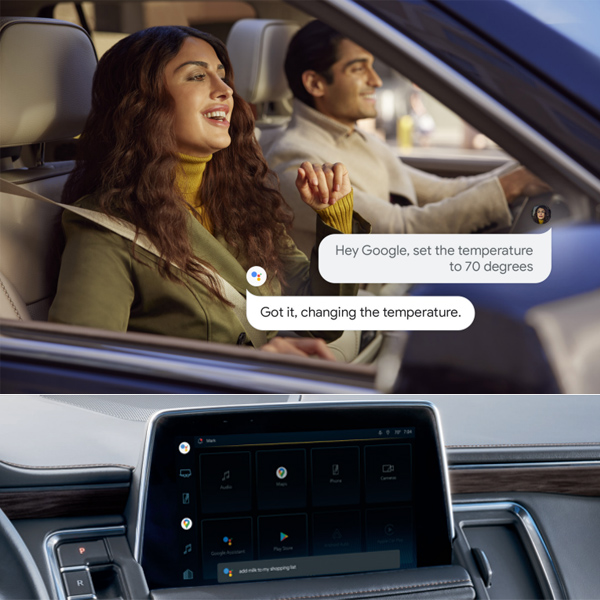
A woman in a car uses voice command to set the temperature to 70 degrees via Google Assistant. The car's display shows various app icons. The atmosphere is modern and convenient.

SET UP GOOGLE BUILT-IN

IN 3 EASY STEPS 1. SIGN ON The first time you use your vehicle's touchscreen or create a new profile, the Setup Wizard will walk you through the steps of setting up and personalizing the system. During this process, you will be prompted to sign into your GM and Google Accounts. While a Google Account is not required, it will offer a more personalized experience. Your vehicle must be in park to complete the setup. 2. REVIEW PERMISSIONS The system will then ask you to accept or decline certain permissions. You can read more about each of these requests before accepting or declining. In some cases, declining permissions may prevent use of certain features. 3. ENJOY THE CONVENIENCE OF GOOGLE BUILT-IN Use voice commands to do more with Google Assistant, get around with Google Maps, and download some of your favorite apps on Google Play.Try saying: "Hey Google, how's the traffic to work?""Hey Google, set the temperature to 70 degrees" and much more.To use Google built-in and available In-Vehicle Apps at their full potential, push your blue OnStar button or talk with Shortline about purchasing a Connected Services plan. LEARN MORE ABOUT GOOGLE BUILT-IN AT ONSTAR.COM/US/EN/SERVICES/CONNECTED-SERVICES See onstar.com for details and limitations. Google built-in: Google built-in services are subject to limitations, and availability may vary by vehicle, infotainment system and location. Select service plan required. Certain Google actions and functionality may require account linking. User terms and privacy statements apply. Google, Google Play and Google Maps are trademarks of Google LLC. Super Cruise: Always pay attention while driving and when using Super Cruise. Do not use a hand-held device. Visit cadillac.com/supercruise for compatible roads and full details. In-Vehicle Apps: Available on select 2017 model year and newer GM vehicles with compatible hardware. Third-party trademarks are the property of their respective third-party owners and used under agreement. Requires active service plan and paid AT&T vehicle data plan. The marks of General Motors, its divisions, slogans, emblems, vehicle model names, vehicle body designs and other marks appearing in this advertisement are the trademarks and/or service marks of General Motors, its subsidiaries, affiliates or licensors. ©2021 General Motors. ©2021 OnStar LLC. All rights reserved.